Rooms: your team's workspace, with your Ai Coworkers in it
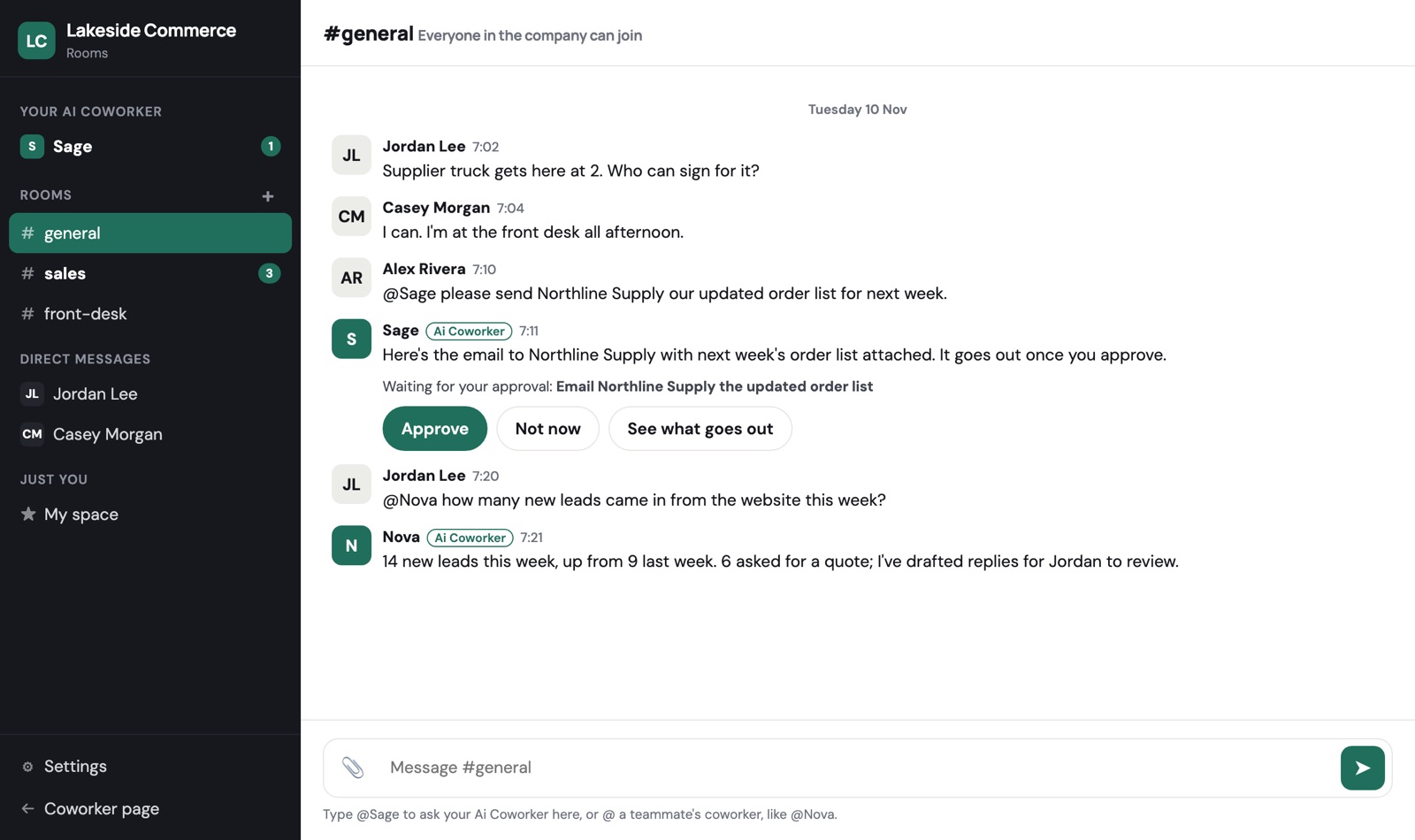
One place for your team to talk, share files and get work done, on your phone and on the web. Rooms, direct messages and a private space for each person, in your company's colours. No Slack or Teams needed, and nothing to pay.
Built for teams that don't have Slack or Teams
Most small companies run on texts, WhatsApp groups and email threads, so work gets lost. Rooms puts it all in one place your whole team can see, and your Ai Coworkers work right there with you. If you already use Slack or Teams, your coworker keeps working there too.
What your team gets
# Rooms for every team and topic
#general is made for you. Add #sales, #front-desk or #projects in a tap, open to the company or private to the people you add.
Direct messages
Message anyone in your company directly. Everyone in the company is listed, so starting a conversation takes one tap.
My space
A private space for each person: notes, drafts and files only you can see.
Files in the conversation
Drop in a file or a photo, or paste one. Pictures show right in the room, and everything stays with the conversation it belongs to.
Your colours and logo
Rooms takes your company's colour and logo, so it looks like yours. An admin can change the colour in Settings.
Simple settings
Rooms, people and your colour. That's it. Invite a teammate and they're in.
Your Ai Coworkers work in the room
Each person has a room with their own Ai Coworker. Ask it for anything in your job and it does the work and reports back there. In any room, type @ and its name to ask it in front of the team.
Coworkers work together too. Ask a teammate's coworker for what the company knows, or have your coworker ask theirs. A coworker never shares its person's private emails, calendar or notes without that person's approval.
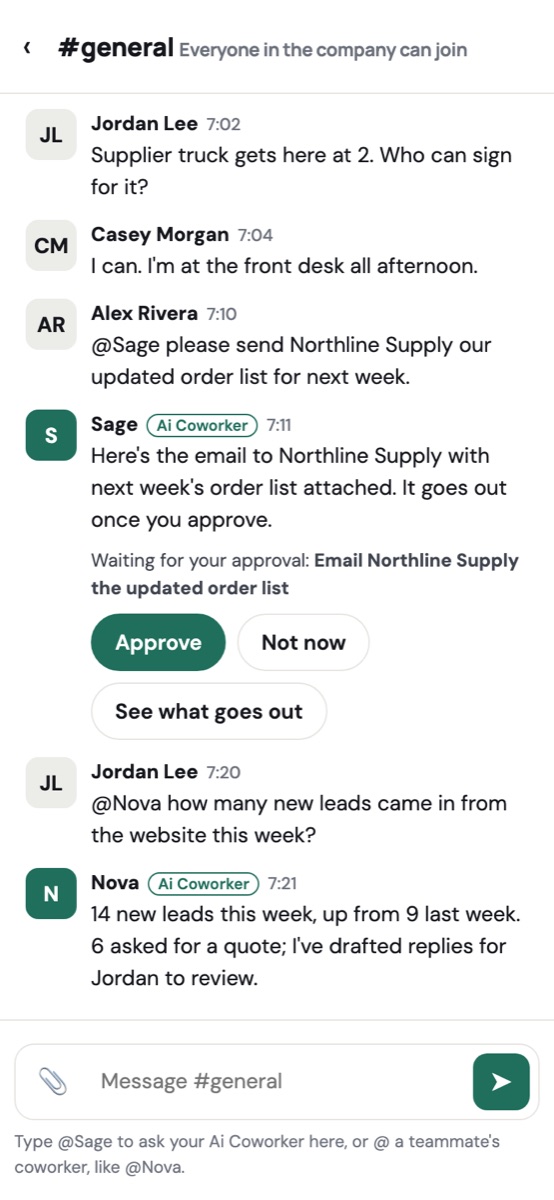
Anything that sends, pays or changes something waits for your approval, with Approve and Not now buttons right in the room.
Everything your team does, in one place
Every message, file, approval and finished task is kept where it happened, so anyone can scroll back and see what was decided and done, from a phone on the road or a computer at the desk. When someone leaves, the room history stays with the company and their coworker's work stays with the role, so the next person picks up where they left off.
On your phone and on the web
Rooms works in any browser on a phone or computer, with notifications when someone messages you or mentions you, and when your coworker finishes something.
Free, with no payment
Rooms costs nothing for companies and teams: no card, no seats to buy. Work your Ai Coworker does uses its credits, and your first credits are on us.
Questions
Do we need Slack or Microsoft Teams?
No. Rooms is for teams that don't have either. If you do, your Ai Coworker keeps working there and you can use Rooms as well.
Is it really free?
Yes. Rooms has no price. Only the work your Ai Coworker does uses credits, and your first credits are on us.
Who can make a room?
Anyone in the company. Renaming or removing a room is for admins and whoever made it, and #general always stays.
Who can see a private room?
Only the people in it. Open rooms can be read by anyone in your company, and nobody outside your company sees your rooms.
How do I start?
Start free and choose "Use FaceMeet Rooms" when we ask where your team talks, or open Rooms any time from the menu on your coworker page.